
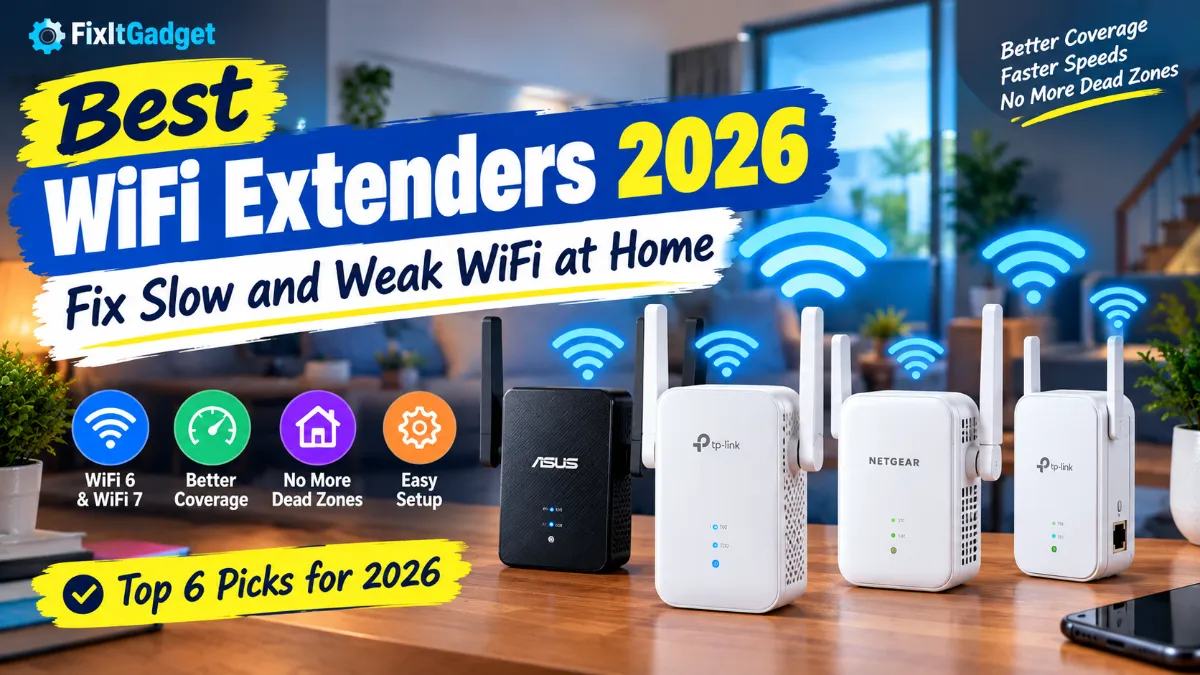
A weak WiFi signal can make a perfectly good internet plan feel useless. You may have fast fiber or cable internet, but if the router is sitting in one corner of the house, the bedroom upstairs, basement, garage, or backyard can still have slow speeds and constant dropouts.
That is where the best WiFi extenders 2026 can help.
A good WiFi extender can take the wireless signal from your existing router and push it farther into areas where coverage is weak. You do not necessarily need to replace your router or spend hundreds of dollars on a complete mesh system.
But there is an important catch: not every WiFi extender is worth buying. Some older models can reduce performance, some are difficult to place correctly, and others are simply not a good match for a modern WiFi 6 or WiFi 7 router.
For most homes, the TP-Link RE715X is one of the strongest choices because it combines WiFi 6, AX3000-class performance, a Gigabit Ethernet port, and easy setup without getting into the price range of premium mesh systems.
If you have a newer WiFi 7 router and want something more future-ready, the TP-Link RE655BE is a much more powerful option. It adds 6 GHz, Multi-Link Operation, and a 2.5Gbps Ethernet port.
This guide explains which WiFi extenders are worth considering in 2026, when an extender makes sense, how to place one correctly, and when you should skip an extender and buy a mesh WiFi system instead.
Best WiFi Extenders 2026 at a Glance
| WiFi Extender | Best For | WiFi Standard | Max Rated Speed | Ethernet |
|---|---|---|---|---|
| TP-Link RE715X | Best overall | WiFi 6 | Up to 3,000 Mbps | 1Gbps |
| TP-Link RE655BE | Best WiFi 7 | WiFi 7 | Up to 10.8 Gbps combined | 2.5Gbps |
| ASUS RP-AX58 | Large homes | WiFi 6 | Up to 3,000 Mbps | 1Gbps |
| NETGEAR EAX80 | High-speed WiFi 6 | WiFi 6 | Up to 6 Gbps | 4 x Gigabit |
| TP-Link RE705X | Easy WiFi 6 upgrade | WiFi 6 | Up to 3,000 Mbps | 1Gbps |
| TP-Link RE315 | Budget dead-zone fix | WiFi 5 | Up to 1,200 Mbps | 100Mbps |
Remember that the numbers manufacturers advertise are theoretical wireless link rates, not the speed you should expect to see in a real-world speed test.
1. TP-Link RE715X
Best WiFi extender for most homes
The TP-Link RE715X is the easiest recommendation for people who want a noticeable improvement without replacing their existing router.
It uses WiFi 6 and has an AX3000-class rating, with up to 2,402 Mbps on the 5 GHz band and 574 Mbps on 2.4 GHz. It also includes a Gigabit Ethernet port and can operate as an access point when connected to your network with Ethernet.
That combination makes it useful for a typical American home with a router that works well in the living room but struggles to reach a bedroom, office, upstairs area, or other part of the house.
One of the biggest advantages is that you do not need a WiFi 6 router to use it. It can work with existing WiFi routers, although pairing it with a modern router can make better use of its capabilities.
TP-Link also supports OneMesh and EasyMesh-related features on compatible equipment, which can make the experience better if your router and extender are designed to work together.
Why I like it
- WiFi 6 performance
- AX3000-class wireless rating
- 160 MHz channel support
- Gigabit Ethernet port
- Access point mode
- App-based setup and management
- Good balance of speed and price
- Works with a wide range of routers
The RE715X is especially appealing if your problem is one or two weak areas rather than poor WiFi throughout the entire house.
If the router already delivers good speeds near itself but your bedroom or office loses signal, this is exactly the type of situation where a range extender makes sense.
2. TP-Link RE655BE
Best WiFi 7 extender for future-ready homes
If you already have a WiFi 7 router, buying an older WiFi 5 or basic WiFi 6 extender does not make much sense.
The TP-Link RE655BE is built for that situation.
This is a tri-band WiFi 7 extender with 2.4 GHz, 5 GHz, and 6 GHz bands. TP-Link rates the combined wireless capacity at up to 10.8 Gbps and includes a 2.5Gbps Ethernet port.
The 6 GHz band is particularly interesting because it can provide more available spectrum and less congestion for compatible WiFi 6E and WiFi 7 devices.
The RE655BE also supports Multi-Link Operation, or MLO, which is one of the major features associated with WiFi 7. Compatible devices can use multiple links more intelligently to improve throughput and responsiveness.
Who should buy it?
This is not the extender I would recommend to someone with an old WiFi 5 router and a 100 Mbps internet plan.
It makes more sense if you have:
- A WiFi 7 router
- A fast fiber connection
- WiFi 6E or WiFi 7 phones and laptops
- A gaming PC or console
- Multiple high-bandwidth devices
- A larger home with demanding networking needs
It also has a 2.5Gbps Ethernet port, which is useful if you want to connect a desktop PC, game console, smart TV, or another wired device.
The important thing to remember is that buying a WiFi 7 extender does not magically turn an older router into a WiFi 7 network. Your router, client devices, and network layout all matter.
3. ASUS RP-AX58
Best WiFi extender for ASUS AiMesh users
The ASUS RP-AX58 is a strong option for people who already use an ASUS router.
It is a dual-band WiFi 6 extender with an AX3000 rating. ASUS lists up to 2,402 Mbps on 5 GHz and 574 Mbps on 2.4 GHz, along with support for 160 MHz channels.
Its biggest advantage is ASUS AiMesh.
If your existing ASUS router supports AiMesh, the RP-AX58 can become part of a larger mesh-style network rather than simply acting as a basic repeater.
That can make roaming around the house more convenient because compatible ASUS equipment can work together as a broader network.
The extender can also work with non-ASUS routers, so you are not completely locked into the ASUS ecosystem.
Another useful feature
The RP-AX58 supports access point mode.
That matters if you have Ethernet wiring available in your home.
Instead of asking the extender to receive the router’s signal wirelessly and then rebroadcast it, you can connect it directly to Ethernet. This gives the extender a wired connection to the network and lets it focus its wireless capacity on your devices.
For homes with Ethernet already installed, this can be a much better setup.
4. NETGEAR Nighthawk EAX80
Best high-performance WiFi 6 extender
The NETGEAR Nighthawk EAX80 is an older but still powerful WiFi 6 extender aimed at people who want more capacity and multiple wired connections.
NETGEAR rates it as an AX6000-class extender with up to 6 Gbps combined WiFi performance.
Unlike many small wall-plug models, the EAX80 is a larger desktop-style device. That extra size gives it room for four Gigabit Ethernet ports and a USB 3.0 port.
That makes it interesting for a home office or entertainment setup where you may want to connect several wired devices.
For example, you could place it near a TV, gaming console, desktop PC, and another Ethernet device rather than buying a separate switch immediately.
Who should consider it?
The EAX80 makes the most sense if you need:
- Strong WiFi 6 performance
- Several Ethernet ports
- A desktop-style extender
- Better capacity than inexpensive plug-in models
- Compatibility with an existing router
It is not necessarily the best value for every household, though.
If all you need is WiFi coverage in one bedroom, a smaller and less expensive extender can do the job.
5. TP-Link RE705X
Best alternative to the RE715X
The TP-Link RE705X is another AX3000 WiFi 6 extender worth considering.
It offers up to 2,402 Mbps on 5 GHz and 574 Mbps on 2.4 GHz, plus a Gigabit Ethernet port.
It also supports 160 MHz channels, access point mode, and TP-Link’s OneMesh technology with compatible routers.
The RE705X is particularly useful when you want a WiFi 6 extender with a good feature set but do not need the newest model available.
It can also be a good choice when you find it at a significant discount compared with newer alternatives.
For a typical home, the difference between two similarly equipped AX3000 extenders may not be noticeable enough to justify paying substantially more for one.
6. TP-Link RE315
Best budget WiFi extender
If your main goal is simply to eliminate a dead zone without spending much money, the TP-Link RE315 remains an inexpensive option.
It is an AC1200 WiFi 5 extender with up to 300 Mbps on 2.4 GHz and 867 Mbps on 5 GHz.
Those numbers are much lower than the newer WiFi 6 and WiFi 7 models, but that does not automatically make it useless.
If you have a relatively slow internet plan and need coverage for basic web browsing, email, smart-home devices, or a room that is not used for heavy streaming, an inexpensive WiFi 5 extender may still be enough.
It also supports access point mode and has a 100 Mbps Ethernet port.
The catch
I would not choose the RE315 for a modern gigabit internet connection if you expect high-speed performance in the extended area.
It is a budget solution, not a high-performance networking upgrade.
If you are spending money specifically because you want better speeds, move up to a WiFi 6 model.
WiFi Extender vs Mesh WiFi
Before buying any extender, ask yourself one question:
Do I have one bad WiFi area, or is my entire house difficult to cover?
That distinction matters.
A WiFi extender is usually a good fit when:
- Your router works well in most rooms
- One bedroom has weak WiFi
- Your garage has poor coverage
- A basement has a dead zone
- You need coverage in a home office
- You want a relatively inexpensive fix
A mesh system is usually better when:
- Several rooms have weak WiFi
- You have multiple floors
- Your house is large
- You need consistent roaming
- You frequently move around the house while using WiFi
- You have many connected devices
- Your router is already several years old
A range extender works by connecting back to the existing router and extending the network. A mesh system is designed around multiple coordinated nodes.
That does not mean extenders are bad.
It simply means you should use the right tool for the problem.
If you have a single dead zone, spending several hundred dollars on a new mesh system can be unnecessary.
Does a WiFi Extender Make Internet Faster?
This is one of the biggest misconceptions about WiFi extenders.
A WiFi extender does not increase the speed provided by your internet service provider.
If your internet plan gives you 300 Mbps, the extender does not turn that into 500 Mbps.
Instead, the extender helps deliver your existing network connection to an area where the router’s signal is weak.
For example, imagine this setup:
Your router is in the living room.
Your internet connection is 500 Mbps.
Your bedroom is two walls away.
Near the router, your phone gets around 450 Mbps.
In the bedroom, it gets only 20 Mbps because of distance and interference.
A properly positioned extender can improve the connection in the bedroom significantly.
The exact result depends on the router, extender, walls, interference, device, and placement.
So think of an extender as a coverage solution, not a faster internet plan.
Read More : Bluetooth Not Connecting to Android? Here’s How to Fix It
Why Your WiFi Is Slow in One Room
A weak WiFi signal can happen for several reasons.
Distance
WiFi signals become weaker as they travel farther from the router.
Walls and floors
Concrete, brick, metal, and other dense materials can reduce wireless signal strength significantly.
Router placement
Putting your router inside a cabinet, behind a TV, on the floor, or in a far corner of the house can make coverage worse.
Interference
Nearby WiFi networks, Bluetooth devices, microwaves, and other wireless equipment can contribute to congestion.
Too many devices
A modern home can have dozens of connected devices, including phones, laptops, TVs, cameras, smart speakers, thermostats, and appliances.
An older router may struggle to handle that environment efficiently.
Old WiFi standards
If your router is several generations old, upgrading the entire network may make more sense than adding an extender.
Where Should You Put a WiFi Extender?
Placement can make or break an extender.
One of the most common mistakes is putting the extender inside the dead zone.
That sounds logical, but it is usually wrong.
If the extender receives a very weak signal from the router, it has a weak connection to repeat.
Instead, place it somewhere between the router and the problem area.
For example:
Router → Hallway → Bedroom
If the bedroom has almost no signal, do not put the extender in the bedroom’s far corner.
Try placing it in the hallway where the router’s signal is still reasonably strong.
Many modern extenders include a signal indicator to help you find a suitable position.
Avoid these locations
Do not place the extender:
- Inside a cabinet
- Behind large appliances
- Directly next to a microwave
- On the floor
- Behind thick concrete walls
- Too far away from the router
- In an area where the router’s signal is already extremely weak
A few feet of difference can sometimes make a surprising difference.
Wired Backhaul Is Better When You Can Use It
If your home has Ethernet wiring, take advantage of it.
Instead of:
Router → WiFi → Extender → WiFi → Device
you can use:
Router → Ethernet → Extender → WiFi → Device
This is often called access point mode.
The Ethernet cable provides the network connection to the extender, while the extender handles wireless connections for nearby devices.
This can be especially useful for:
- Gaming
- 4K streaming
- Home offices
- Desktop PCs
- Smart TVs
- Video calls
- Large file transfers
If you already have Ethernet in the room with weak WiFi, an access point can be a better solution than a traditional wireless repeater.
WiFi 6 vs WiFi 7 Extenders
Should you buy WiFi 6 or WiFi 7?
For most people, WiFi 6 is still the practical choice.
WiFi 6 extenders such as the TP-Link RE715X, RE705X, and ASUS RP-AX58 offer plenty of performance for normal home internet connections.
WiFi 7 becomes more interesting when you already have WiFi 7 equipment.
The TP-Link RE655BE, for example, adds a 6 GHz band, Multi-Link Operation, and a 2.5Gbps Ethernet port.
But there is no reason to spend extra money on WiFi 7 simply because the box says “WiFi 7.”
Your router and client devices need to support the relevant features before you can take full advantage of them.
How Much Speed Do You Actually Need?
You do not need a 10 Gbps extender for every home.
Here is a simple way to think about it.
Internet plan under 200 Mbps
A basic WiFi 5 or WiFi 6 extender may be perfectly adequate.
200 to 500 Mbps
A good WiFi 6 extender is the sweet spot.
500 Mbps to 1 Gbps
Look for a strong WiFi 6 model with Gigabit Ethernet.
Over 1 Gbps
Consider WiFi 7, multi-gig Ethernet, or a proper mesh system depending on your home layout.
Keep in mind that wireless speeds are affected by distance, walls, interference, device capabilities, and network traffic.
Read More : Best Smart Home Devices 2026 – Top Picks for Every Home
The speed printed on the box should never be treated as the speed you will automatically get from a phone in the next room.
Should Gamers Use a WiFi Extender?
Sometimes.
If your gaming PC or console is in a room with weak WiFi, an extender can improve the connection.
But gaming is sensitive to latency and connection stability, not just download speed.
If you can run Ethernet from the router to the gaming device, do that.
If you cannot, look for an extender that supports a wired connection to the console or PC.
A desktop-style extender such as the NETGEAR EAX80 can be useful in this kind of setup because it provides multiple Ethernet ports.
For larger homes with multiple gaming areas, a properly designed mesh system may be the better long-term solution.
Can You Use Multiple WiFi Extenders?
You can, but I would avoid creating a chain of wireless extenders unless you have no better option.
For example:
Router → Extender 1 → Extender 2 → Device
can introduce additional wireless hops and reduce performance.
If you need coverage across a very large house, multiple mesh nodes are usually a cleaner solution.
If you do use multiple extenders, try to make sure each extender has a strong connection back to the main network rather than relying on another extender whenever possible.
How to Set Up a WiFi Extender
Most modern extenders are relatively easy to install.
Step 1: Plug it in near the router
Start close to the router so the extender can establish a strong connection.
Step 2: Connect it to your WiFi
Use the manufacturer’s app, web interface, or WPS button depending on the model.
Step 3: Choose the network
Select your existing home WiFi network and enter the password.
Step 4: Move the extender
After setup, move it toward the area with weak coverage.
Do not move it so far that its connection to the router becomes unreliable.
Step 5: Test the problem area
Run a speed test from the room where you previously had poor WiFi.
Do not test only next to the extender. The goal is to improve the actual area where you have a problem.
Common WiFi Extender Mistakes
Buying based only on the biggest speed number
A box saying “10.8 Gbps” does not mean your phone will download at 10.8 Gbps.
Those ratings represent combined theoretical wireless capacity.
Putting the extender too far away
This is probably the most common mistake.
An extender needs a good signal from the router.
Buying WiFi 7 for an old router
If your router is old and your internet plan is modest, a WiFi 7 extender may be overkill.
Ignoring Ethernet
If you have Ethernet wiring available, access point mode can deliver a better result.
Expecting an extender to fix a bad router
If your WiFi is slow everywhere, the problem may be the router, internet connection, interference, or network configuration.
Adding an extender may simply spread the problem farther.
When You Should Replace Your Router Instead
An extender is not always the answer.
Consider replacing your router if:
- WiFi is slow in every room
- The router frequently disconnects
- The router is very old
- You have many modern WiFi devices
- Your internet plan is much faster than what your router can realistically handle
- You need better security features
- You have multiple dead zones
- Your home needs whole-house coverage
If your router is more than several years old and your household has changed significantly since you bought it, a new router or mesh system may be a better investment.
Best WiFi Extenders 2026 by Situation
Best overall
TP-Link RE715X
Best balance of WiFi 6 performance, features, ease of use, and price.
Best WiFi 7
TP-Link RE655BE
Best choice for newer WiFi 7 networks and users who need 6 GHz and multi-gigabit wired connectivity.
Best for ASUS users
ASUS RP-AX58
A strong choice if you already have an ASUS router and want AiMesh support.
Best high-performance WiFi 6
NETGEAR EAX80
A good option for users who want strong WiFi 6 performance and several wired Ethernet ports.
Best alternative
TP-Link RE705X
A capable AX3000 WiFi 6 extender with access point mode and OneMesh support.
Best budget choice
TP-Link RE315
A simple option for basic coverage problems when you do not need high-speed WiFi 6 or WiFi 7 performance.
Final Verdict
The best WiFi extenders 2026 are not necessarily the ones with the biggest numbers on the box.
For most homes, the TP-Link RE715X is the most sensible place to start. It gives you WiFi 6 performance, a Gigabit Ethernet port, modern wireless features, and enough capacity for common streaming, work-from-home, gaming, and smart-home use.
If you already have a WiFi 7 router and want a more future-ready solution, the TP-Link RE655BE is the more advanced choice. Its tri-band design, 6 GHz support, Multi-Link Operation, and 2.5Gbps Ethernet make it a much more serious networking upgrade.
The ASUS RP-AX58 is particularly attractive for ASUS users, while the NETGEAR EAX80 makes sense for people who want a powerful desktop extender with multiple Ethernet ports.
For basic coverage on a tight budget, the TP-Link RE315 can still do the job.
But remember the most important rule: buy an extender for a coverage problem, not a speed problem.
If your router already gives you good internet speed in most of the house and you have one annoying dead zone, a good WiFi extender can be an inexpensive fix.
If your entire home has weak WiFi, multiple floors are poorly covered, or you constantly move between rooms while using wireless devices, it may be time to stop adding extenders and move to a proper mesh WiFi system.
The right choice depends less on the biggest number printed on the box and more on your router, internet plan, home size, wall construction, number of devices, and where the WiFi problem actually occurs.
Read More : Best Home Gadgets 2026: 15 Smart Devices Worth Buying