
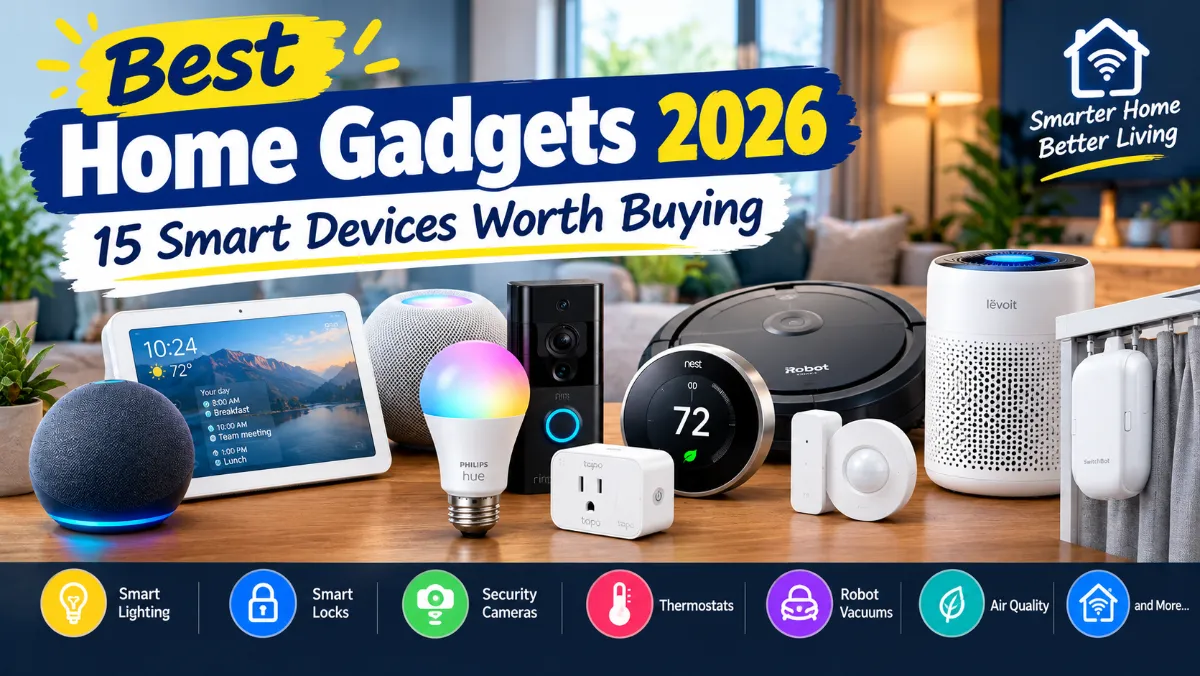
The Best Home Gadgets 2026 aren’t necessarily the most expensive gadgets or the ones with the longest list of features. The ones worth buying are the products that make everyday life a little easier.
That could mean turning off a light from your phone, checking your front door while you’re away, letting a robot vacuum clean the floors while you’re at work, or having your thermostat adjust itself instead of constantly changing the temperature.
The smart-home market has also changed quite a bit. There are now hundreds of products to choose from, and compatibility is just as important as the hardware itself. A device might work great with Amazon Alexa but not Apple Home. Another might support Matter but require a separate hub for some features.
So instead of throwing together a list of flashy gadgets, this guide focuses on 15 home gadgets that can actually be useful in a real home.
Some are inexpensive. Others are bigger investments. You don’t need all of them. In fact, you probably shouldn’t buy all 15.
The idea is simple: find the gadgets that solve problems you actually have.
Best Home Gadgets 2026 at a Glance
| Gadget | Best for | Why it stands out |
|---|---|---|
| Amazon Echo Show 8 | Smart-home control | Useful screen, Alexa and smart-home controls |
| Google Nest Hub | Google users | Simple Google Home control |
| Apple HomePod mini | Apple users | Apple Home and Matter support |
| Philips Hue lights | Smart lighting | Excellent ecosystem and automation |
| Smart plugs | Easy automation | Turns ordinary devices into connected ones |
| Google Nest Learning Thermostat | Temperature control | Smart scheduling and automation |
| Ring Video Doorbell | Front-door security | Convenient video monitoring |
| Indoor security camera | Home monitoring | Check rooms, pets and activity remotely |
| Schlage Encode Plus | Smart locks | Keyless entry and Apple Home support |
| Roomba robot vacuum | Automatic cleaning | Handles routine floor cleaning |
| Air-quality monitor | Indoor air | Gives you useful environmental data |
| Smart curtain opener | Window automation | Automates existing curtains |
| Motion and contact sensors | Automation | Makes routines respond to activity |
| Smart air purifier | Air cleaning | Automatic operation and remote control |
| Water leak sensors | Home protection | Can warn you about leaks early |
1. Amazon Echo Show 8
A smart display is one of the easiest ways to bring several smart-home functions together.
The Amazon Echo Show 8 combines a smart speaker with a touchscreen, which makes it more useful than a voice-only speaker in certain parts of the home.
You can ask Alexa for the weather, set timers, play music, check compatible cameras, control smart lights and interact with other supported devices. The screen also gives you information visually instead of making you listen to every answer.
That makes the Echo Show 8 particularly useful in the kitchen.
Imagine you’re cooking and need a timer. You can set one without touching your phone. You can also keep a recipe nearby, check the weather or control the lights while your hands are busy.
Current 2026 smart-display testing continues to rate the Echo Show 8 highly, with the fourth-generation model adding newer smart-home capabilities and Matter, Thread and Zigbee support.
Why I’d buy it
The Echo Show 8 is useful because it isn’t limited to one job.
It’s a smart speaker, display, timer, communication device and smart-home controller in one.
It’s also a good starting point if you want to build an Alexa-based home.
Best for
- Alexa users
- Families
- Kitchens
- Smart-home beginners
- People who want a screen for smart-home control
One thing to consider
Amazon’s device lineup and pricing can change, so check the current model before buying. Also consider whether you actually need a display. If you only want voice control, a cheaper Echo speaker may make more sense.
2. Google Nest Hub
If your household already uses Google Home, Android phones or Nest products, the Google Nest Hub is worth considering.
Unlike a standard smart speaker, the Nest Hub gives you a screen for controlling compatible smart-home devices.
You can use it to control lights, thermostats and other connected products, while also viewing information such as weather and reminders.
One reason the Nest Hub remains interesting is its relatively simple design. The second-generation model doesn’t have a camera, which can be appealing to people who don’t want a camera sitting in a common room.
Google has also been expanding Gemini-powered features across its smart-home ecosystem in 2026.
Why I’d buy it
If you already use Google Home, having a dedicated screen can make controlling your devices much easier.
It’s particularly handy on a kitchen counter or bedside table.
Best for
- Android users
- Google Home households
- Nest owners
- Kitchens
- Bedrooms
3. Apple HomePod mini
For an Apple-heavy household, the HomePod mini is one of the simplest smart-home starting points.
It’s small, doesn’t take up much space and works naturally with Apple’s ecosystem.
You can use Siri for everyday commands and control compatible smart-home accessories. Apple also supports Matter, which gives compatible accessories more flexibility across modern smart-home platforms.
The important thing here is ecosystem.
If everyone in your home uses an iPhone, choosing products that work well with Apple Home can save you headaches later.
Why I’d buy it
The HomePod mini makes sense if you’re already invested in Apple products.
It’s also useful as part of a larger Apple smart-home setup rather than being just a standalone speaker.
Best for
- iPhone users
- Apple Home users
- Matter-compatible setups
- Smaller rooms
- Simple smart-home control
4. Philips Hue Smart Lights
Smart lights are probably the easiest home gadget to recommend to someone who has never used smart-home technology.
You replace a normal bulb with a smart bulb and suddenly you can control it from an app, voice assistant or automation.
Philips Hue remains one of the strongest options in 2026 because its ecosystem goes far beyond a single bulb.
You can build a small setup with a couple of bulbs or eventually add switches, lamps, light strips and other accessories.
Current 2026 testing continues to put Philips Hue near the top of the smart-lighting category, while newer Hue products are expanding the company’s lighting ecosystem further.
What makes smart lights useful?
It’s not just changing colors.
You can create schedules and routines.
For example:
- Turn the porch light on around sunset.
- Dim bedroom lights at night.
- Turn lights off automatically when you leave.
- Use motion sensors for hallway lighting.
- Create a softer lighting scene for movie night.
- Gradually turn bedroom lights on in the morning.
That is where smart lighting becomes more than a novelty.
Best for
- Bedrooms
- Living rooms
- Home offices
- Hallways
- Home theaters
Should you buy Philips Hue or cheaper bulbs?
If you only need two inexpensive bulbs, you don’t necessarily need the most expensive ecosystem.
Budget options from brands such as Govee can be perfectly reasonable for simple setups. Current 2026 smart-light testing also highlights Govee as a strong budget alternative.
Hue becomes more attractive when you want a larger, more reliable lighting system with more accessories and automation options.
5. A Good Matter-Compatible Smart Plug
A smart plug is one of those products that looks boring until you actually use one.
The concept is extremely simple.
Plug the smart plug into the wall, connect a suitable appliance, and you can control the power remotely or create schedules.
You can use one with a lamp, fan, holiday lights or other compatible appliances.
Some models also include energy monitoring, which lets you see how much electricity a connected device is using.
Why smart plugs are so useful
You don’t have to replace an appliance just because you want basic smart control.
That’s the real advantage.
For example, instead of buying a new smart lamp, you can put a smart plug on an existing lamp.
You can then create a routine that turns it on at a particular time.
Best for
- Lamps
- Fans
- Holiday lights
- Simple automation
- Energy monitoring
- Smart-home beginners
Look for Matter if you’re building a mixed ecosystem
Matter is becoming increasingly important because it is designed to make smart-home products easier to use across different platforms.
That doesn’t mean every Matter product works identically everywhere, so you should still check compatibility before buying.
But if you’re starting a new setup in 2026, Matter is worth paying attention to.
6. Google Nest Learning Thermostat
A smart thermostat is one of the few smart-home gadgets that can have a direct effect on how you manage heating and cooling.
The Google Nest Learning Thermostat is designed to learn your preferences, create schedules and work with the Google Home ecosystem.
The fourth-generation model is still one of the strongest smart thermostat options in 2026. Current reviews highlight its smart scheduling, design and AI-assisted energy features.
The biggest benefit isn’t controlling your thermostat from your phone.
It’s automation.
You can have different temperatures during the day, evening and night rather than manually changing the thermostat over and over.
Is a smart thermostat worth it?
For a homeowner with a compatible HVAC system, it can be.
But this isn’t a product I’d recommend buying blindly.
Check your HVAC system and wiring before ordering one.
If you’re renting or have an unusual heating system, a smart thermostat may not be the right upgrade.
Best for
- Homeowners
- Central HVAC systems
- Google Home users
- Automated temperature schedules
- People who want better control over heating and cooling
7. Ring Video Doorbell
A video doorbell is one of the more practical smart security upgrades.
Instead of wondering who is at the door, you can see what’s happening from your phone.
That’s useful for more than security.
It’s also convenient when you’re waiting for a delivery or want to check whether a package has arrived.
Ring’s current lineup includes battery-powered and wired models, along with different resolutions and feature levels.
Why I’d consider one
A video doorbell can give you useful information without requiring a complete security system.
For many homes, the front door is the most useful place to start.
Best for
- Package deliveries
- Front-door monitoring
- Homeowners
- Apartments where permitted
- Basic home security
Watch out for subscription costs
This is important.
Don’t look only at the hardware price.
Some security products put certain recording, storage or advanced features behind a subscription.
Always check what you’ll get without paying monthly.
8. Indoor Security Camera
An indoor camera can be useful for checking on pets, watching a particular room or simply keeping an eye on your home while you’re away.
Current smart-home testing continues to include indoor security cameras among the most useful connected-home products.
But cameras are different from most other smart gadgets because privacy matters much more.
Before installing one, decide what you actually need it to see.
A camera pointed at an entryway is very different from a camera placed in a private room.
What to look for
Look at:
- Video quality
- Night vision
- Motion detection
- Person detection
- Local storage
- Cloud storage
- Subscription requirements
- Privacy controls
- Two-factor authentication
Best for
- Pet owners
- Entryways
- Home monitoring
- Families
- Checking on rooms while away
9. Schlage Encode Plus Smart Lock
A smart lock can be one of the most convenient upgrades you make to your front door.
The Schlage Encode Plus is especially interesting for Apple users because it supports Apple Home Key with compatible Apple devices.
Instead of handing someone a physical key, you can use a code or supported digital access method.
That can be useful for family members, house cleaners, contractors or guests.
Why I’d buy it
The biggest advantage is convenience.
If you regularly lock yourself out, forget whether you locked the door or need to give someone temporary access, a smart lock can solve a real problem.
But check compatibility first
Smart locks aren’t universal.
Before buying, check:
- Your existing deadbolt
- Door thickness
- Backset
- Whether the lock fits your door
- Your preferred smart-home platform
Best for
- Homeowners
- Keyless entry
- Families
- Apple Home users
- Temporary guest access
10. Roomba Robot Vacuum
A robot vacuum is one of the few smart gadgets that can actually give you back some time.
You still need to clean your home manually sometimes, but a robot can handle routine floor cleaning without you pushing a vacuum around.
Current iRobot models range from relatively affordable robot vacuums to premium vacuum-and-mop systems. Consumer Reports continues to include robotic vacuums among its tested smart-home categories.
The newer generation of robot vacuums is also becoming more capable at navigation and automated cleaning.
Who should buy one?
Robot vacuums make the most sense for people who:
- Have mostly hard floors
- Have pets
- Have children
- Want frequent maintenance cleaning
- Don’t want to vacuum every day
Who might skip one?
If your home has lots of thick rugs, cables, stairs or cluttered floors, you may need to spend more time preparing the area.
A robot vacuum isn’t magic.
It still needs maintenance, and it can’t replace every type of cleaning.
But for routine floor cleaning, it can be incredibly useful.
Read More : Bluetooth Not Connecting to Android? Here’s How to Fix It
11. Indoor Air-Quality Monitor
An air-quality monitor isn’t as exciting as a robot vacuum, but it can tell you something you can’t see.
Indoor air can change depending on cooking, ventilation, outdoor pollution, wildfire smoke, humidity and the number of people in a room.
A good monitor can help you understand what’s actually happening.
Some devices track multiple measurements rather than simply showing temperature and humidity.
Why this can be useful
You might discover that carbon dioxide rises quickly in your home office when the windows are closed.
Or you might notice particulate levels increase while cooking.
That information can help you decide when to ventilate or run an air purifier.
Best for
- Home offices
- Bedrooms
- Families
- Homes affected by wildfire smoke
- People interested in indoor air quality
12. Smart Curtain Opener
Smart curtains sound like a luxury until you use them every day.
A device such as the SwitchBot Curtain line can automate existing curtains, depending on the curtain style and track or rod compatibility.
You can schedule curtains to open in the morning and close at night.
You can also use automation to reduce sunlight entering a room during the hottest part of the day.
Why it’s worth considering
You don’t necessarily need to replace your entire window treatment.
That’s what makes retrofit curtain gadgets interesting.
They can add automation to something you already own.
Best for
- Bedrooms
- Living rooms
- Home offices
- People who want simple automation
- Hard-to-reach curtains
Before buying, check whether your existing curtain hardware is compatible.
13. Motion and Contact Sensors
Sensors are the part of a smart home that people often overlook.
A motion sensor can detect movement.
A contact sensor can tell whether a door or window is open or closed.
On their own, they’re not very exciting.
But when you connect them to other devices, they become much more useful.
For example:
Motion detected + dark hallway = turn on the light.
Door opened + you’re away = send an alert.
No motion for a certain period = turn off the lights.
This is the kind of automation that makes a smart home feel genuinely useful.
Best for
- Hallways
- Doors
- Windows
- Smart lighting
- Home security
- Automation
They’re also relatively inexpensive compared with many larger smart-home products.
14. Smart Air Purifier
A smart air purifier can combine a practical appliance with automatic controls.
The important thing is not to buy one simply because it has Wi-Fi.
Start with the basics.
Look at:
- Room size
- Filtration system
- Noise
- Filter replacement cost
- Energy use
- Airflow
- Automatic mode
Then look at the smart features.
A good smart purifier can automatically adjust its fan when air quality changes and let you monitor or control it from your phone.
Why I’d buy one
The smart features are useful because you don’t have to constantly think about the purifier.
You can let it run automatically and adjust the settings when necessary.
Best for
- Bedrooms
- Living rooms
- Pet owners
- Homes with smoke or pollution concerns
- People who want automatic air cleaning
15. Smart Water Leak Detection
This is probably the least exciting gadget on the list.
It’s also one of the ones I’d take seriously if you own a home.
A small leak sensor can notify you when water reaches the sensor.
You can place sensors near:
- Water heaters
- Washing machines
- Dishwashers
- Sinks
- Toilets
- Basement plumbing
More advanced systems can monitor water usage and automatically shut off the home’s water supply when they detect unusual activity.
Consumer Reports currently includes smart water shutoff systems among its smart-home products, which shows how connected technology is moving beyond entertainment and convenience.
Why it’s worth buying
You hope the sensor never has to do anything.
But if it catches a leak early, it could potentially save you from a much bigger repair.
Best for
- Homeowners
- Vacation homes
- Basements
- Water heaters
- Older homes
- Homes with washing machines on upper floors
Which Home Gadgets Should You Buy First?
If you’re starting your smart home from scratch, don’t buy 15 devices at once.
That’s a quick way to end up with five different apps, several accounts and a lot of frustration.
Start with one ecosystem.
Then add a few devices that solve actual problems.
A simple first setup could be:
1. Smart speaker or display
Choose Alexa, Google Home or Apple Home based on what you already use.
2. Two smart bulbs
Start with the rooms where you use lighting the most.
3. Two smart plugs
Use them for lamps or other suitable appliances.
4. One sensor
Try a motion sensor or door sensor.
5. Add security later
A video doorbell or camera can come next.
This gives you enough devices to learn how smart-home automation works without turning your house into a science project.
Alexa vs Google Home vs Apple Home
Your smart-home platform matters more than many beginners realize.
You can buy excellent individual products and still have a frustrating experience if they don’t work well together.
Amazon Alexa
Alexa is a strong choice if you want a large selection of compatible devices and a wide range of smart-home accessories.
It’s particularly appealing for people already using Amazon Echo devices.
Google Home
Google Home is a natural fit for Android and Google users.
It’s also a strong choice if you’re already using Nest cameras, thermostats or other Google products.
Google has been adding more AI capabilities to its smart-home platform in 2026, making the ecosystem more interesting for existing Google users.
Apple Home
Apple Home is usually the easiest choice for households already invested in Apple’s ecosystem.
If everyone in the house uses an iPhone, it makes sense to look for Apple Home compatibility when shopping.
Which one should you choose?
There isn’t one universal winner.
If you already own several smart devices, stick with the ecosystem that gives you the best compatibility.
If you’re starting from zero, choose based on the phones, speakers and services your household already uses.
Don’t build your entire home around a smart speaker just because it happens to be on sale.
Why Matter Is Important in 2026
Matter is one of the biggest changes in smart-home technology because it is designed to make devices from different companies work together more easily.
That’s useful because smart-home shoppers don’t want to be locked into one brand forever.
However, Matter doesn’t mean every feature automatically works across every platform.
A device may support Matter for basic control while keeping some advanced features inside its own app or ecosystem.
So the rule is simple:
Look for Matter, but still check the exact compatibility list.
That’s especially important for cameras, locks, thermostats and other products where advanced features matter.
What Makes a Home Gadget Actually Worth Buying?
A smart gadget should solve a problem.
That’s my biggest rule for this category.
If you can explain exactly why you need a device, you’re probably on the right track.
For example:
“I want my hallway light to turn on automatically at night.”
Buy a motion sensor and smart light.
“I keep forgetting to lock my door.”
Consider a smart lock.
“I don’t have time to vacuum every day.”
A robot vacuum may make sense.
“I want to know what’s happening at my front door.”
Get a video doorbell.
“My home gets uncomfortable while I’m away.”
A smart thermostat may help.
That’s much better than buying something simply because it has an app.
Smart Home Gadgets I Wouldn’t Buy Just for the Novelty
There are plenty of connected products that look impressive but don’t necessarily make your life better.
A smart gadget isn’t automatically useful because it connects to Wi-Fi.
Before buying something, ask:
- Will I use this every week?
- Does it solve a problem?
- Does it require a subscription?
- What happens if the company shuts down the service?
- Does it work with my current ecosystem?
- Can I still use it manually if the internet goes down?
- How much will replacement parts or filters cost?
Those questions can prevent a lot of unnecessary spending.
Don’t Forget About Privacy
Smart-home devices can collect a lot of information.
Cameras can see inside your home.
Smart speakers can process voice commands.
Apps can record device activity and usage patterns.
That doesn’t mean you should avoid smart-home products.
It means you should understand what you’re buying.
Use strong passwords.
Turn on two-factor authentication where available.
Keep firmware and apps updated.
Review privacy settings.
And don’t install cameras in places where people reasonably expect privacy.
For security products, also look at whether footage is stored locally or in the cloud and whether a subscription is required.
Do Smart Home Gadgets Save Money?
Sometimes.
But don’t assume every smart gadget will reduce your bills.
A smart thermostat can potentially help manage heating and cooling more efficiently.
A smart plug with energy monitoring can show you which devices are consuming power.
Smart lights can be automated so they’re not left running unnecessarily.
But the gadget itself costs money.
The right way to think about smart-home savings is not:
“This gadget will definitely save me money.”
Instead ask:
“Does this gadget give me enough useful control to justify what it costs?”
That’s a much more realistic way to evaluate it.
Best Home Gadgets 2026 by Budget
Under $50
Start with:
- Smart plugs
- Basic smart bulbs
- Motion sensors
- Door sensors
This is enough to create a useful first smart-home setup.
$50 to $150
You can start looking at:
- Better smart lighting
- Smart displays
- Security cameras
- Video doorbells
- More advanced sensors
$150 to $300
This is where you can consider:
- Robot vacuums
- Smart thermostats
- Better security equipment
- Larger smart-lighting setups
$300 and above
At this level, think carefully before spending.
You may be looking at:
- Premium robot vacuums
- Smart locks
- Advanced security systems
- Whole-home automation equipment
- Premium smart appliances
The more expensive the gadget, the more important it becomes to think about long-term support and compatibility.
A Simple Smart Home Setup for Beginners
If I were setting up a smart home from scratch today, I wouldn’t start with expensive appliances.
I’d build it gradually.
Phase 1: Basic control
Get a smart speaker or display.
Add two smart bulbs and two smart plugs.
Learn how routines work.
Phase 2: Automation
Add a motion sensor and a door sensor.
Now your devices can react to what’s happening.
Phase 3: Security
Add a video doorbell.
If needed, add one indoor or outdoor camera.
Phase 4: Comfort
Add a smart thermostat if your HVAC system supports it.
Consider smart curtains or automated lighting.
Phase 5: Time-saving
Add a robot vacuum.
At this point, the smart home starts doing useful work without requiring constant attention.
Common Smart Home Buying Mistakes
Buying everything from different ecosystems
A mixed setup can work, especially with Matter, but beginners should avoid unnecessary complexity.
Ignoring installation
Some products are easy DIY projects.
Others may involve electrical wiring, HVAC equipment or door hardware.
Know which category you’re buying.
Forgetting subscription fees
A $50 camera isn’t really a $50 purchase if you need a monthly subscription for the features you actually want.
Buying too many cheap devices
Cheap isn’t always bad.
But a house full of unreliable gadgets is worse than a smaller setup with dependable products.
Not checking Wi-Fi
If your Wi-Fi is unreliable, smart-home devices may not perform well.
Fix the network before buying 20 connected devices.
Buying based on specifications alone
More megapixels, more sensors and more features don’t automatically make a better product.
Ease of use matters.
Reliability matters.
App quality matters.
Compatibility matters.
Final Verdict
The Best Home Gadgets 2026 are the ones that make your home easier to live in without creating more work for you.
For most people, I’d start with smart lights and smart plugs. They’re affordable, easy to understand and useful every day.
If security is your priority, move a video doorbell, camera and sensors higher on the list.
If you’re tired of cleaning, a robot vacuum may be one of the best investments you can make.
If you’re a homeowner, a smart thermostat and leak detection system deserve serious consideration because they address practical household problems.
And if you’re building a larger setup in 2026, pay attention to Matter. It won’t eliminate compatibility issues completely, but it can give you more flexibility when choosing products from different manufacturers.
You also don’t need to make your entire home smart.
A few well-chosen gadgets are usually better than a house full of devices you barely use.
The best smart home isn’t the one with the most gadgets.
It’s the one where the technology quietly handles the annoying little tasks you used to do yourself.
That’s what makes a home gadget worth buying.
Read More : Best Smart Home Devices 2026 – Top Picks for Every Home