
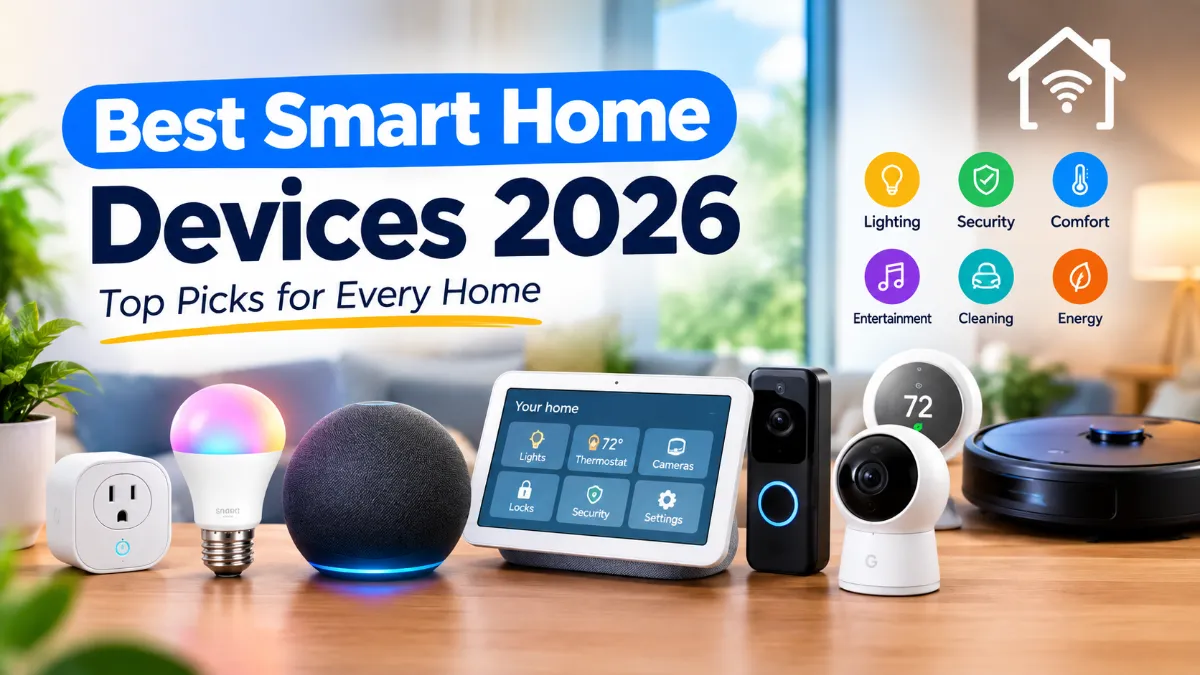
A smart home does not have to mean filling every room with expensive gadgets. A few well-chosen devices can make everyday tasks easier, improve home security, save time, and even help manage energy use.
The tricky part is knowing what is actually worth buying.
There are hundreds of smart home products available in the U.S., and they do not all work the same way. Some work best with Amazon Alexa, while others are better suited to Google Home or Apple Home. Compatibility also matters more than ever as Matter becomes more common across smart home products.
To help you build a smarter home without wasting money, we picked some of the best smart home devices 2026 for different needs and budgets.
Our Top Smart Home Picks for 2026
| Smart home device | Best for | Why we like it |
|---|---|---|
| Amazon Echo devices | Alexa users | Easy voice control and broad device compatibility |
| Google Home devices | Google users | Strong Google ecosystem and smart home control |
| Apple HomePod mini | iPhone users | Great Apple Home integration and privacy features |
| Philips Hue lights | Smart lighting | Excellent lighting control and wide ecosystem support |
| Smart plugs | Beginners | One of the easiest ways to automate existing devices |
| Smart thermostat | Energy control | Automates heating and cooling |
| Smart doorbell | Home security | Lets you see and respond to visitors |
| Smart cameras | Security | Remote monitoring and alerts |
| Smart locks | Keyless entry | Convenient access without traditional keys |
| Robot vacuum | Automated cleaning | Handles routine floor cleaning with less work |
1. Smart Speaker or Smart Home Hub
Best for: Most households
A smart speaker is one of the easiest places to start when building a smart home.
You can use it to control compatible lights, plugs, thermostats, cameras and other devices with your voice. It can also handle everyday tasks such as timers, reminders, music and weather updates.
The bigger decision is which ecosystem you want to use.
Amazon Alexa, Google Home and Apple Home are the three major options many U.S. households consider. Your choice can affect which products are easiest to connect and control later.
Amazon Alexa
Alexa remains a strong choice if you want access to a large selection of compatible smart home products.
Amazon’s Echo lineup can act as the voice-control center for compatible lights, plugs, cameras and other devices.
However, Amazon changed pricing on several Echo and Fire TV products in August 2026, so shoppers should check the current price instead of relying on older buying guides.
Google Home
Google Home is a good option if you already use Android, Google services or Nest products.
Google’s current smart home lineup includes speakers, cameras, doorbells, thermostats, Wi-Fi products and other connected devices.
Google is also pushing Gemini more deeply into its smart home experience in 2026.
Apple Home
Apple Home is particularly attractive if your household already uses iPhones, iPads and other Apple devices.
The HomePod mini can work as a smart home hub and can control compatible HomeKit and Matter accessories remotely.
Our advice: Don’t choose a smart speaker only because it is on sale. Choose the ecosystem you are most likely to stick with.
2. Apple HomePod mini
Best for: iPhone users
If most of your household uses Apple devices, the HomePod mini is one of the easiest ways to get started with Apple Home.
It is small enough to fit almost anywhere but can do more than simply play music. You can use Siri to control compatible lights, thermostats, blinds and other smart home accessories.
Apple also supports Matter through its Home platform, giving users more options when buying compatible smart home accessories.
Another useful feature is its role as a home hub. Apple says HomePod mini can control HomeKit and Matter accessories remotely, including compatible security and access devices.
Why buy it?
- Great fit for Apple households
- Compact design
- Siri voice control
- Smart home hub functionality
- Matter support
- Temperature and humidity sensing
- Strong privacy focus
Who should skip it?
If your home is heavily built around Android, Alexa or Google Home, another ecosystem may make more sense.
3. Google Nest Hub
Best for: Google Home users
A smart display can be more useful than a speaker because it gives you visual control over your home.
Google’s Nest Hub lets you control compatible smart devices from a central screen. You can also use it to view compatible camera feeds, control lights and adjust other connected devices.
For example, you could ask Google to show your front-door camera while cooking in the kitchen.
That can be more convenient than pulling out your phone every time you want to check something.
Google’s smart home ecosystem has also expanded in 2026, with newer devices and deeper Gemini integration.
Best for: People who want a visual smart home control center.
4. Philips Hue Smart Lights
Best for: The best overall smart lighting experience
Smart lights are one of the simplest upgrades you can make to a regular home.
You can turn lights on or off from your phone, create schedules, adjust brightness and, depending on the product, change colors and white tones.
Philips Hue remains one of the strongest choices if you want a more complete smart lighting system. Current 2026 testing continues to highlight Hue for its lighting quality, integrations and broad product range.
You can start with a couple of bulbs instead of replacing every light in your house.
Smart lighting is useful for:
- Automatic lights at sunset
- Bedroom wake-up routines
- Vacation lighting
- Movie-night scenes
- Voice control
- Motion-based automation
- Energy-conscious lighting schedules
If you are new to smart home products, smart bulbs are often a better first purchase than a complicated security system.
5. Smart Plugs
Best for: Beginners on a budget
A smart plug is one of the simplest smart home devices you can buy.
Instead of replacing an existing lamp or small appliance with a smart version, you plug it into the smart plug.
That lets you control the connected device through an app or compatible voice assistant.
For example, you could connect:
- A table lamp
- Christmas lights
- A fan
- A coffee maker
- A small space heater, if the plug and appliance are safely rated for the load
Smart plugs are especially useful for older devices that you still like but want to control automatically.
One important warning
Do not assume every appliance should be connected to a smart plug. Check the plug’s electrical rating and the appliance’s power requirements first.
For high-power appliances, use products specifically designed and rated for that type of load.
6. Smart Thermostat
Best for: Energy-conscious homeowners
A smart thermostat can do more than let you change the temperature from your phone.
Depending on the model, it can learn schedules, detect occupancy, provide energy reports and adjust heating or cooling automatically.
Google’s Nest ecosystem, for example, includes smart thermostats as part of its connected-home lineup.
A smart thermostat can be particularly useful if your household has predictable routines.
You could set the temperature differently when everyone is asleep, away at work or back home.
Before buying one
Check compatibility with your HVAC system.
This is one category where buying first and checking compatibility later can create a major headache.
If you rent your home or live in an apartment, also check whether you are allowed to replace the existing thermostat.
7. Smart Video Doorbell
Best for: Front-door security
A smart doorbell can show you who is at your door even when you are not home.
Depending on the model and subscription plan, features may include video recording, motion alerts, person detection and two-way communication.
Google’s current Nest Doorbell lineup includes models with 2K video and Gemini-powered features.
Other major options include Ring, Arlo and other security brands.
What to look for
Before buying a video doorbell, check:
- Wired or battery-powered installation
- Video resolution
- Night vision
- Motion detection
- Local versus cloud storage
- Subscription requirements
- Smart home compatibility
- Wi-Fi reliability
A cheap doorbell can become expensive if important features require a monthly subscription.
8. Smart Security Camera
Best for: Monitoring your home
A smart security camera can help you keep an eye on a front porch, driveway, backyard, garage or indoor space.
Today’s cameras can offer features such as motion detection, person detection, night vision and mobile alerts.
Google’s current Nest cameras, for example, include newer models with 2K video and AI-powered features.
But don’t choose a camera based on resolution alone.
A 2K camera with poor night performance or unreliable notifications may be less useful than a lower-resolution camera that consistently detects activity.
Pay attention to storage
This is one of the biggest differences between smart camera systems.
Some cameras offer local storage. Others rely heavily on cloud subscriptions.
If you want to avoid another monthly bill, look carefully at the storage options before buying.
9. Smart Lock
Best for: Keyless entry
A smart lock can replace or upgrade your existing deadbolt and let you unlock the door using a phone, keypad, fingerprint or other supported method.
The biggest advantage is convenience.
You can create temporary access for family members, guests or service workers instead of handing out physical keys.
Some systems can also automatically lock the door after you leave.
Before buying a smart lock
Check your existing door hardware.
Not every smart lock fits every door, and installation can vary considerably between models.
Also consider what happens if:
- Your phone battery dies
- The Wi-Fi goes down
- The lock battery is low
- Someone needs emergency access
A good smart lock should still give you a reliable backup method.
10. Robot Vacuum
Best for: Busy households
Robot vacuums have become much more capable than the early models that simply bounced around a room until their battery died.
Modern models can map rooms, avoid certain obstacles, return to their charging station and, in some cases, vacuum and mop automatically.
The robot vacuum category is also moving quickly in 2026, with newer products adding stronger cleaning systems and more advanced automation. Recent IFA 2026 launches included new Roomba technology and other high-end robot cleaning products.
What matters most?
Don’t focus only on suction numbers.
Look at:
- Navigation
- Obstacle avoidance
- App quality
- Mapping
- Carpet performance
- Hard-floor cleaning
- Mop performance
- Dock features
- Replacement parts
- Maintenance costs
For many homes, a reliable robot vacuum is one of the most noticeable smart-home upgrades because it saves actual time.
Which Smart Home Ecosystem Should You Choose?
This is one of the most important decisions to make before buying several smart devices.
You don’t necessarily need every device from the same company, but compatibility can make your life much easier.
Amazon Alexa
Choose Alexa if you want:
- A large selection of compatible devices
- Easy voice control
- Lots of affordable smart-home accessories
- Strong integration with Amazon devices
Google Home
Choose Google Home if you already use:
- Android phones
- Google services
- Nest products
- Google TV
Google is also expanding its smart-home experience with Gemini-powered features in 2026.
Apple Home
Apple Home is a strong option if your household primarily uses iPhones and other Apple devices.
The HomePod mini can serve as a home hub, while Apple’s Home platform supports Matter accessories.
Matter
Matter is worth paying attention to when shopping for new smart home devices.
The goal of Matter is to make compatible smart home devices work across different platforms instead of locking you into one ecosystem. Apple, Google and other major smart-home platforms support the standard.
That does not mean every Matter device works with every feature on every platform. It is still important to check exactly what a product supports before buying.
Best Smart Home Devices by Type
If you don’t want to read through the entire list, here’s the short version.
Best smart home starter device: Smart plug
Best smart speaker for Alexa homes: Amazon Echo
Best smart home option for iPhone users: Apple HomePod mini
Best Google smart home option: Google Nest ecosystem
Best smart lighting system: Philips Hue
Best smart home security upgrade: Video doorbell
Best for home monitoring: Smart security camera
Best for keyless entry: Smart lock
Best for energy management: Smart thermostat
Best time-saving device: Robot vacuum
What Should You Buy First?
You don’t need to spend hundreds of dollars to get started.
A simple setup could look like this:
Starter setup
- Smart speaker
- Two smart bulbs
- One or two smart plugs
This gives you voice control and basic automation without making your home complicated.
Security-focused setup
- Smart doorbell
- Outdoor security camera
- Smart lock
- Smart lights
This setup focuses on visibility, access and basic home security.
Energy-focused setup
- Smart thermostat
- Smart plugs
- Smart lighting
- Energy-monitoring devices where appropriate
This setup makes more sense for homeowners who want better control over energy use.
Full smart home
For a larger setup, you could combine:
- Smart home hub
- Smart lights
- Smart plugs
- Smart thermostat
- Doorbell
- Security cameras
- Smart locks
- Robot vacuum
- Sensors
The key is to build it gradually rather than buying everything at once.
Are Smart Home Devices Worth It in 2026?
For many households, yes.
But the best smart home device is not necessarily the one with the longest feature list.
A good device should solve a real problem.
If you constantly forget to turn off lights, smart lighting can help.
If you want to see who is at the front door, buy a video doorbell.
If cleaning floors is a constant chore, a robot vacuum may be a better investment than another smart speaker.
And if you are building a larger system, compatibility should be one of your first considerations.
Smart home technology is also becoming easier to connect across different platforms. Matter is helping reduce some of the compatibility problems that used to make smart-home shopping confusing.
Things to Check Before Buying a Smart Home Device
Before clicking the Buy button, take a few minutes to check these details.
1. Compatibility
Make sure the device works with your preferred platform.
2. Wi-Fi requirements
Some products require 2.4GHz Wi-Fi, while others support newer networking standards.
3. Subscription fees
A low upfront price can become less attractive if important features require a monthly subscription.
4. Installation
Check whether the product is truly DIY-friendly or requires wiring or professional installation.
5. Privacy
Smart cameras, speakers and other connected devices can collect sensitive information.
Read the manufacturer’s privacy information and understand what data the device collects and where it is stored.
6. Replacement costs
Smart devices eventually need batteries, filters, bulbs, accessories or other replacement parts.
7. Ecosystem lock-in
If you plan to buy many devices, consider whether you will still want the same ecosystem a few years from now.
Final Verdict
The best smart home devices in 2026 are not necessarily the most expensive ones.
For most people, the smartest approach is to start small.
A smart speaker, smart bulbs and a few smart plugs can give you a useful connected home without turning the setup process into a weekend-long project.
From there, add devices based on what you actually need. A smart thermostat can make sense for temperature control, a video doorbell can improve visibility around your front door, and a robot vacuum can take one more regular chore off your list.
If you’re already using an iPhone, Apple Home and HomePod mini are worth considering. Android and Google users may prefer Google Home, while Alexa remains a strong choice for people who want broad smart-home compatibility.
Most importantly, check compatibility before buying. Matter is making cross-platform smart homes easier, but individual devices can still have different requirements and feature limitations.
The goal isn’t to make every appliance in your house “smart.” The goal is to make your home more convenient, secure and easier to manage.
Useful official resources
Note: Smart-home prices and availability can change quickly, especially around sales and new product launches. Amazon, for example, changed pricing on several device lines in August 2026, so current retailer pricing should always be checked before publishing exact prices.
Read More Bluetooth Not Connecting to Android? Here’s How to Fix It